Showing posts with label LONSDOR LONSDOR K518 LONSDOR K518ISE. Show all posts

Friday, 27 October 2017

How To Use Lonsdor K518ISE Program Ferrari 458 Remote Key via OBD[Video Attachment]

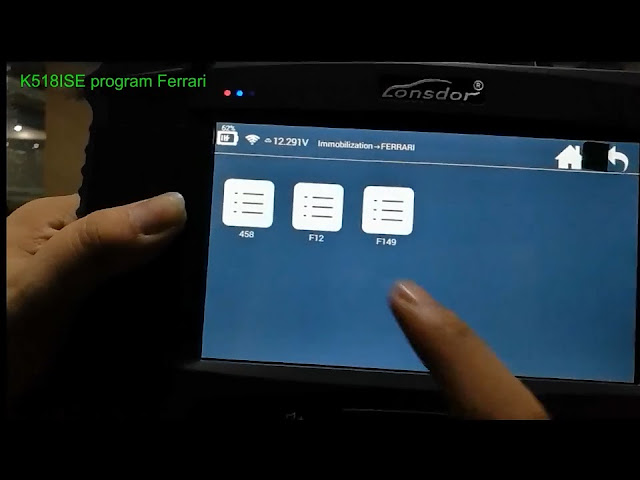
Lonsdor K518ISE key programmer is able to program remote key on Ferrari 458, F12 and F149 currently. Here's the guide on programming Ferrari 458 remote with K518.


Video :

Procedure:

Step 1: Backup Immo Data
Connect K518ISE host with vehicle via diagnostic socket
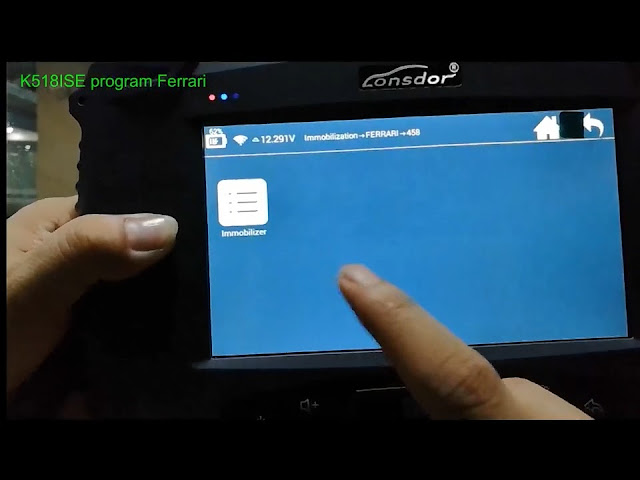
Select Immobilzation->Ferrari->458->Immobilizer->
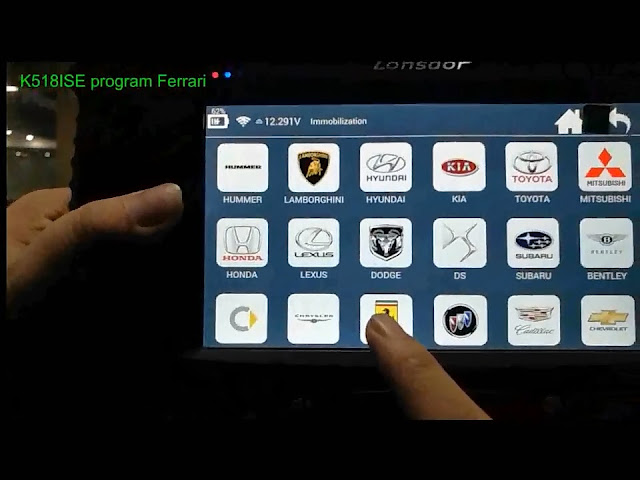
lonsdor-k518ise-ferrari-1
lonsdor-k518ise-ferrari-2
lonsdor-k518ise-ferrari-3
Select Backup Immo Data function
lonsdor-k518ise-ferrari-4
Turn ignition ON
Communicating
K518ISE will show hardware and software information
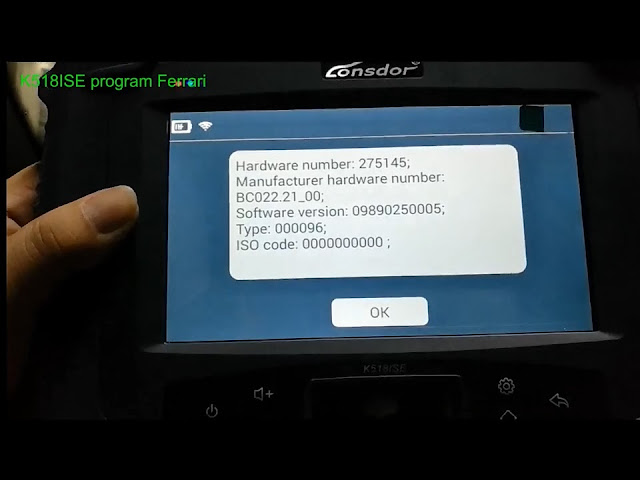
lonsdor-k518ise-ferrari-5
Turn ignition OFF
Reading immo data, wait for 6 minutes
lonsdor-k518ise-ferrari-6

Lonsdor K518ISE will read Ferrari 458 pin code and key security data after 6 minutes
write down the pin code
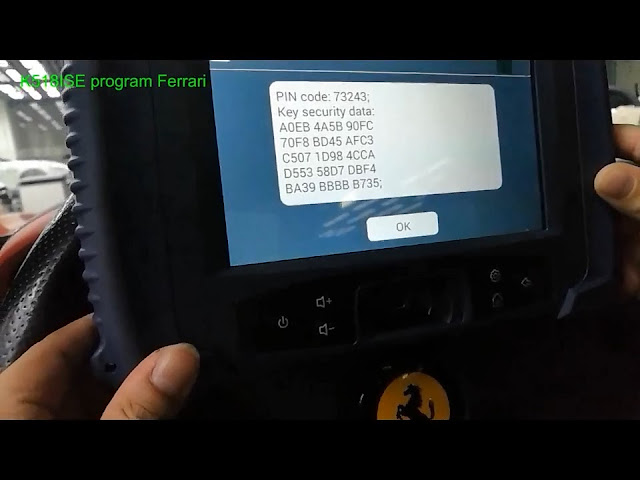
lonsdor-k518ise-ferrari-7

save immo data as bin format

lonsdor-k518ise-ferrari-8

Backup success

lonsdor-k518ise-ferrari-9

Step 2: Program Key

Select Program Key function
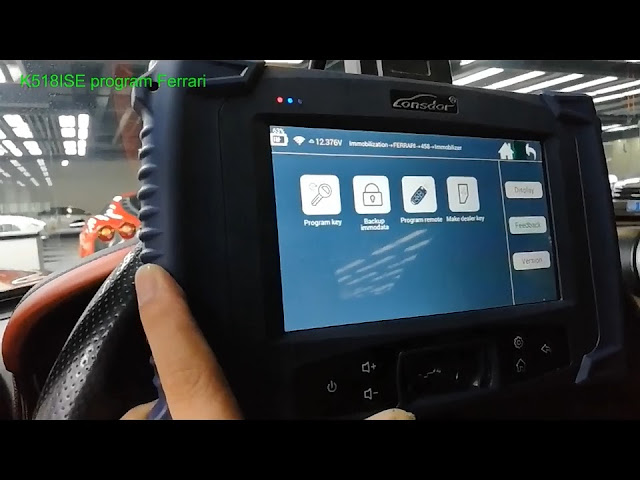
lonsdor-k518ise-ferrari-10

The original working key also need to program.
New key to program must be a customized or a pre-written key
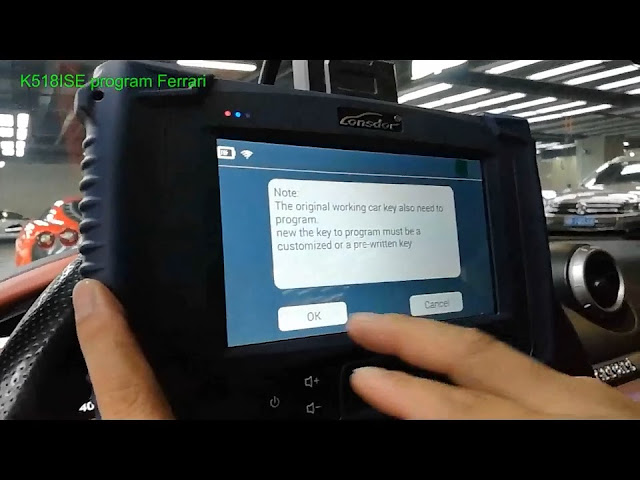
lonsdor-k518ise-ferrari-11

Turn ignition ON

Lonsdor K518 then will require to enter PIN code to access

Enter 5-digit pin code and confirm
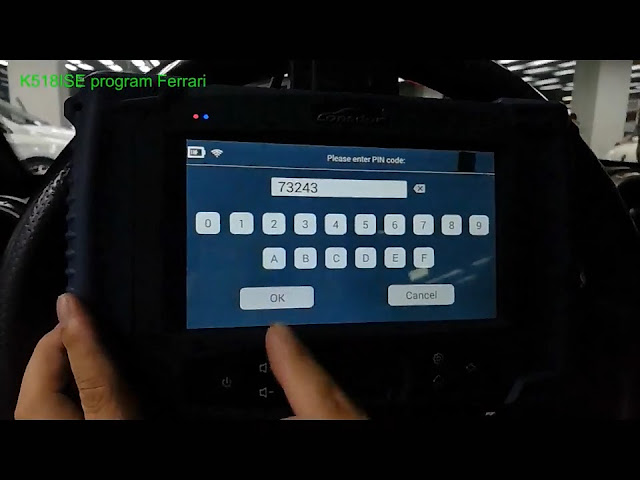
lonsdor-k518ise-ferrari-12

Number of keys programmed: 1

Press YES to program next key or press NO to go back

lonsdor-k518ise-ferrari-13

Program key complete

lonsdor-k518ise-ferrari-14

Step 3: Program Remote
Select Program Remote function
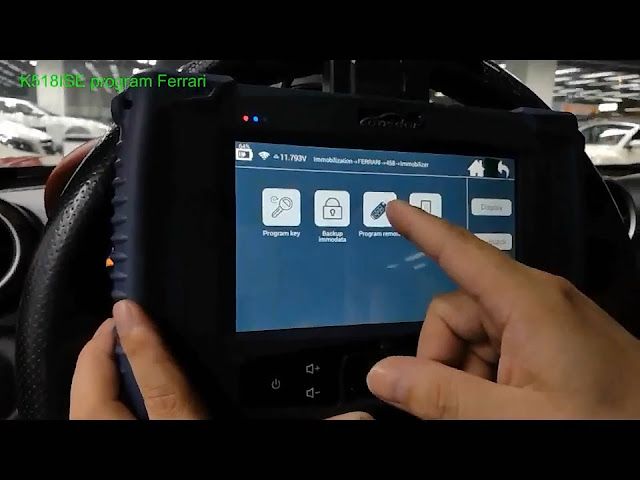
lonsdor-k518ise-ferrari-15

Turn ignition ON
Again enter PIN code here
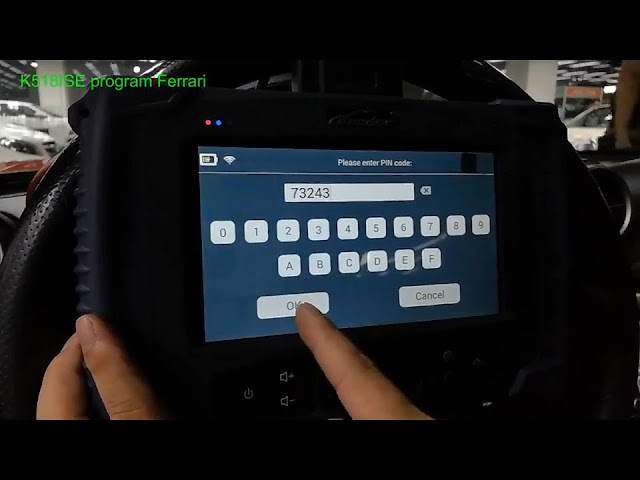
lonsdor-k518ise-ferrari-16

Hold remote key to be programmed in hand

Click OK

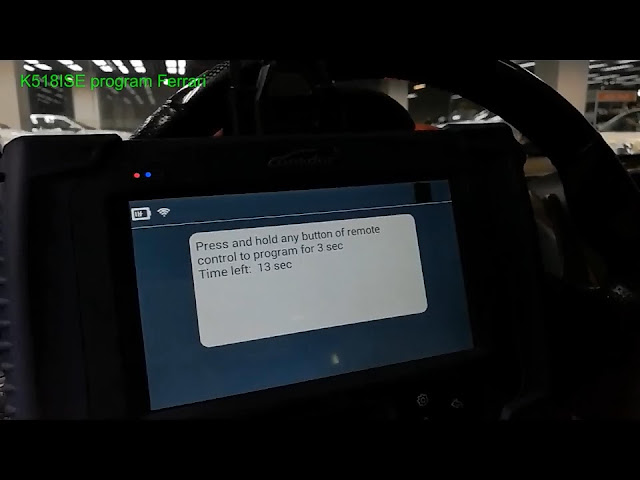
Click on remote control for 3 sec within 15 sec

press any button on remote key for 3 sec
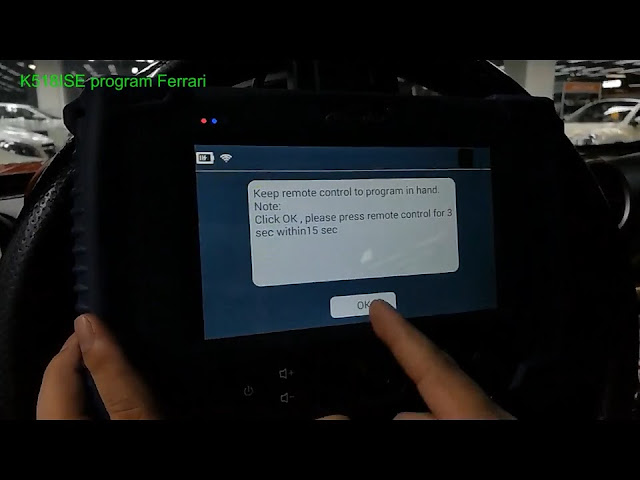
lonsdor-k518ise-ferrari-17
lonsdor-k518ise-ferrari-18

Number of remote control programmed: 1

Press YES to program next remote
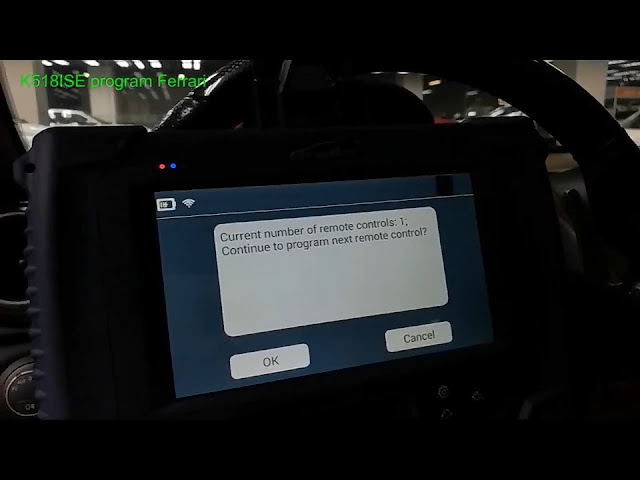
lonsdor-k518ise-ferrari-19

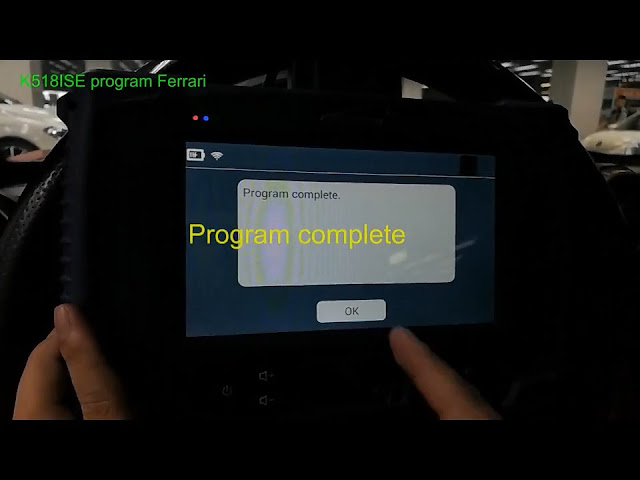
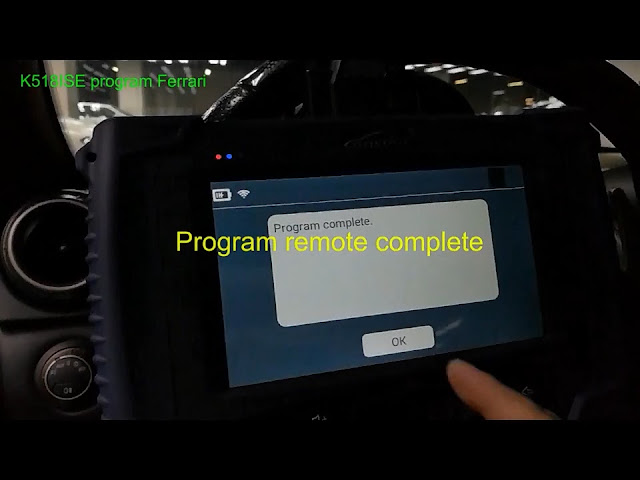
Program remote complete.

lonsdor-k518ise-ferrari-20

Thursday, 26 October 2017

How To Program Peugeot 408 2013 All Keys Lost via OBD With Lonsdor K518ISE

Lonsdor K518ISE key programmer will read pin code from BSI and program key/all keys lost on PSA Peugeot Citroen and DS. Here’s a demo guide on programming Peugeot 408 year 2013 remote key when all keys lost by OBD.

Lonsdor K518ISE PEUGEOT Car List

SeriesOriginYearFuel TypeFunction
308OtherOtherOtherKey Programming
3008OtherOtherOtherKey Programming
307Other06-OtherKey Programming
308SOtherOtherOtherKey Programming
Read PIN CodeOtherOtherOtherRead PIN Code
Classified by SystemSmart KeyOtherOtherSmart Key System
Classified by SystemOrdinary KeyOtherOtherKey System
207OtherOtherOtherKey Programming
307Other-06OtherKey Programming
508Smart KeyOtherOtherSmart Key System
508Ordinary KeyOtherOtherKey Programming
408OtherOtherOtherKey Programming

Procedure:
Peugeot key programming requires a PIN code to access.  You can obtain pin code from original key card, by VIN or by some OBD devices (Lonsdor K518/VVDI2 PSA). It’s dangerous to disassemble BSI to calculate pin code.
peugeot-408-pin-code
Peugeot 408 OBD socket location
peugeot-408-obd-location
Step 1: Read Pin Code
Connect Lonsdor K518 host with OBD diagnostic socket
Select Peugeot-> Read PIN Code
lonsdor-k518-peugeot-1
Select Type 2:
*Type 1: If you still have working key. Insert working key, turn ignition on, turn ignition off (Repeat)
*Type 2: Have working key or all keys lost. If you select Type 2,  wipers will brush and headlights turn on. They will back to normal after 30 sec.
lonsdor-k518-peugeot-2
Read PIN Code from BSI by OBD successfully
lonsdor-k518-peugeot-3
Step 2: Program Key
Select Peugeot 408 (Chinese manual does not have 408 optional, you can enter from 308. English manual does have 408 model. Check K518ISE Peugeot list on the top)
lonsdor-k518-peugeot-4
Select Program Key
lonsdor-k518-peugeot-5
Turn ignition to ON position
lonsdor-k518-peugeot-6
Lonsdor K518ISE will read vehicle information, VIN, software version etc
lonsdor-k518-peugeot-7
Enter Pin code and confirm
lonsdor-k518-peugeot-8
Complete the operation within 15 sec:
Turn ignition off and turn it on
Press YES to continue
lonsdor-k518-peugeot-9
Program first key success.
Press YES to program next key.
lonsdor-k518-peugeot-10
Follow K518 prompts:
Program remote procedure:
  1. Turn ignition off and remove key
  2. Insert a new key and turn ignition ON
  3. Press any button on remote key for 5 sec and release within 20 sec
  4. Turn ignition off and remove key
  5. If need to program more key, repeat step 2-4
lonsdor-k518-peugeot-11
Done.

Wednesday, 25 October 2017

Lonsdor K518 Program 2014 Land Rover Discovery 4 smart key

 Here’s the demo guide on programming Discovery 4 year 2014 smart key with Lonsdor K518ISE

Lonsdor K518ISE LAND ROVER Car List

SeriesOriginYearFuel TypeFunction
Range RoverOther2008-2015OtherSmart Key Programming
Discovery 3OtherOtherOtherKey Programming
Freelander 2Other-12OtherSmart Key Programming
FreelanderOther2003-2005OtherRemote Key Programming
Discovery 4OtherOtherOtherSmart Key Programming
EvoqueOtherOtherOtherSmart Key Programming
discovery-4
Key information:
Original key: 5-button smart key
Frequency: 433MHz
Device to program: Lonsdor K518 car key programmer

Procedure:
Connect K518 host with vehicle via OBD socket
Turn ignition on
Select Land Rover->Discovery 4->Program Smart Key->Add smart key (or all keys lost)
lonsdor-k518-discovery-4-smart-key-1
lonsdor-k518-discovery-4-smart-key-2
lonsdor-k518-discovery-4-smart-key-3
lonsdor-k518-discovery-4-smart-key-4
Turn ignition off
lonsdor-k518-discovery-4-smart-key-5
Whether to program new smart key? Press YES to continue
lonsdor-k518-discovery-4-smart-key-6
Keep the smart key to be programmed in hand
lonsdor-k518-discovery-4-smart-key-7
Programming…
Press on the Unlock button of the smart key within 5 sec
lonsdor-k518-discovery-4-smart-key-8
Unlocking
lonsdor-k518-discovery-4-smart-key-9
Press on the Unlock button of the smart key for once within 5 sec
Unlocked.
Press on the Unlock button of the smart key for once within 5 sec
lonsdor-k518-discovery-4-smart-key-10
Identified number of keys programmed: 3
lonsdor-k518-discovery-4-smart-key-11
Lonsdor K518ISE Program Discovery 4 smart key success.
Done.